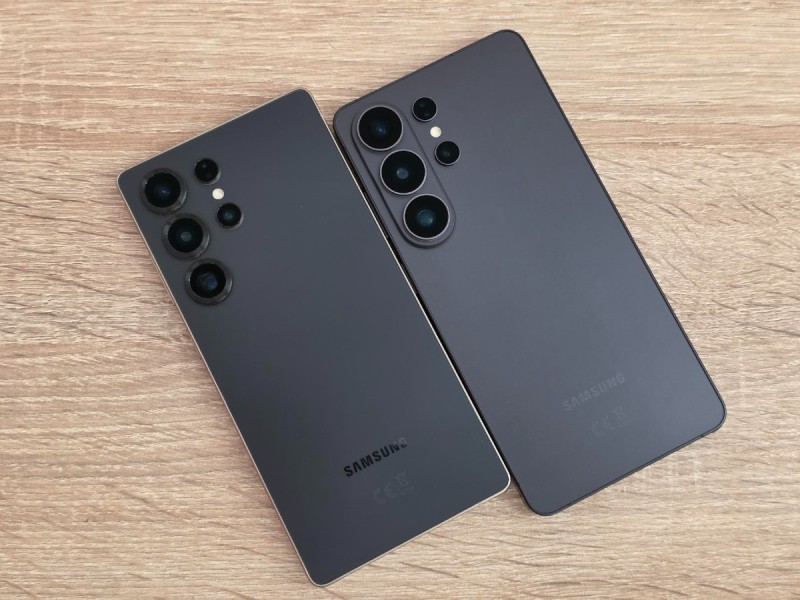
Samsung has expanded the Android 17 rollout to Galaxy S, Z and A series phones, while Galaxy tablets are still waiting.
Samsung has expanded its Android 17 rollout to more Galaxy smartphones, including flagship, mid-range and budget models. The update is now available for several Galaxy S, Galaxy Z and Galaxy A devices, although availability may vary by user and region.
The rollout covers eligible flagship phones, including models from the Galaxy S23 series, along with foldable phones and selected Galaxy A devices. Samsung is now extending the update to more affordable smartphones as the rollout continues.
Samsung Galaxy Phones Getting Android 17
According to the provided update information, the following Galaxy devices are receiving Android 17.
Galaxy S series
- Galaxy S26, S26+ and S26 Ultra
- Galaxy S26 FE
- Galaxy S25, S25+ and S25 Ultra
- Galaxy S25 FE and S25 Edge
- Galaxy S24, S24+ and S24 Ultra
- Galaxy S24 FE
- Galaxy S23, S23+ and S23 Ultra
Galaxy Z series
- Galaxy Z Fold 7 and Z Flip 7
- Galaxy Z TriFold
- Galaxy Z Fold 6 and Z Flip 6
- Galaxy Z Fold 5 and Z Flip 5
Galaxy A series
- Galaxy A57 and A56
- Galaxy A37 and A36
- Galaxy A27
Samsung may add more eligible devices as the software rollout expands.
Also Read: Honor Win 2 Price Revealed Ahead of October 21 Launch
Galaxy Tablets Are Still Waiting
The current rollout includes several flagship and mid-range smartphones, but no Galaxy tablets have started receiving the update, according to the supplied information.
Samsung typically expands software updates across its device range in stages. Galaxy tablet users may need to wait until the company begins their rollout.
How to Check for the Android 17 Update
Galaxy users can manually check whether the update is available on their devices. Follow these steps:
- Open Settings on your Samsung Galaxy phone.
- Select Software update.
- Tap Download and install.
- Follow the on-screen instructions if an update is available.
If Android 17 does not appear, the update may not have reached your device yet. Samsung releases updates in batches, so even eligible phones may receive them at different times.